
Smarter Living for Renters: No-Drill, Removable Upgrades That Move With You
Today we dive into renter-friendly smart home upgrades that rely on no-drill, removable gear, helping you transform comfort, security, and convenience without risking deposits or repainting weekends. Expect practical checklists, genuine stories, product nuances, and gentle, reversible installs using peel‑and‑stick mounts, magnetic plates, battery power, and portable hubs. You’ll finish ready to upgrade an apartment in hours, not months, and confidently take every piece with you on moving day.
Getting Started Without a Toolbox
Begin with a home walk‑through, noting spots where light, power, or safety could improve without permanent change. Prioritize quick wins that respect painted walls, tile, and lease clauses, then plan reversible mounting from day one. Keep manufacturer boxes, alcohol wipes, and spare adhesive tabs handy. Small, portable devices create outsized comfort when chosen thoughtfully, and the trick is balancing reliability, aesthetics, and truly clean removal while staying within your ecosystem of choice.
Swap a few high‑use bulbs for efficient, voice‑friendly smart bulbs, add a smart plug to your coffee maker, and place an adhesive motion sensor near the hallway. These three steps typically take under an hour, avoid any drilling, and immediately deliver creature comforts like hands‑free arrivals, energy savings, and safer nighttime navigation. Photograph placements for future reference, and label each box to simplify moves, testing, and returns.
Choose stretch‑release adhesive strips designed for painted drywall and gloss tile, matching weight ratings to the device plus mount. Clean surfaces with isopropyl alcohol, avoid silicone caulk residue, and press firmly for the specified time. For heavier items, pair low‑profile adhesive plates with light magnetic couplers. In humid bathrooms or kitchens, consider water‑resistant adhesives and periodic checks. Responsible materials decisions today translate to stress‑free, deposit‑safe removals later.
Place extra tabs, cable labels, and microfiber cloths in a single clearly marked box. Keep a short removal checklist: power down, unpair, lift, stretch‑release, and buff. Photograph clean surfaces after unmounting, and store every screw, clip, and magnet in labeled zip bags. Export automations from your app and save them in cloud notes, so rebuilding scenes in a new apartment becomes a comforting routine rather than a time‑consuming puzzle.
Lighting That Travels: Bulbs, Switches, and Scenes
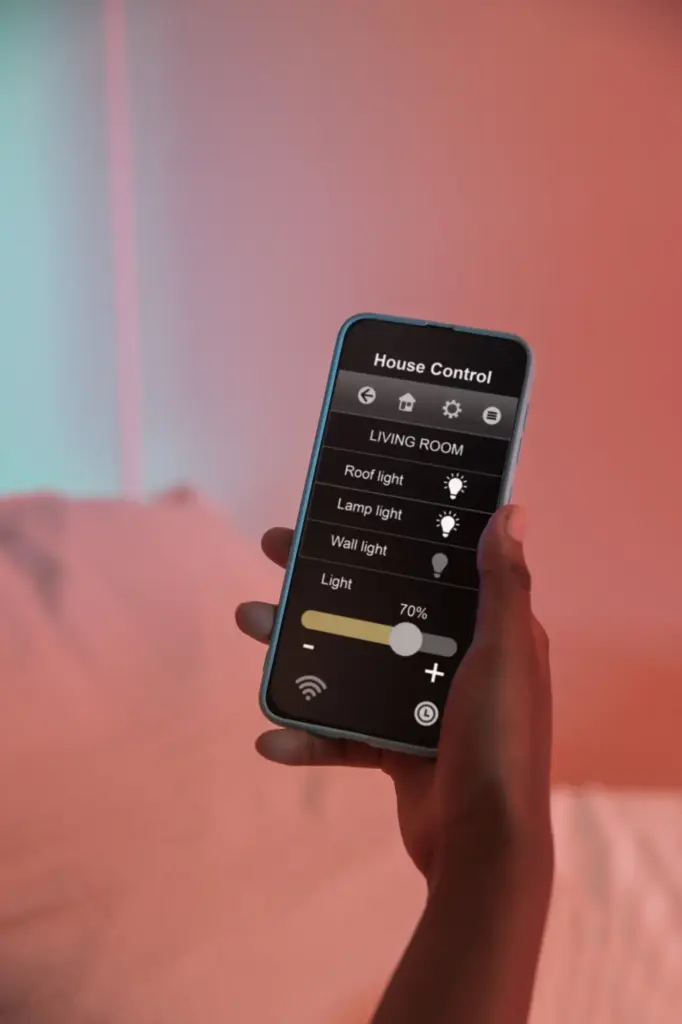
Smart bulbs excel at color and per‑lamp dimming, while smart plugs make dumb bulbs schedule‑friendly and consolidate control for multi‑bulb fixtures. Use bulbs where mood matters and plugs for clusters or high‑watt floor lamps. Both require zero drilling and move easily. Document lamp locations with a quick photo grid for consistent vibes after a move, and remember to label rooms within your app for fast voice and automation targeting.
Magnet‑backed or adhesive‑mounted remotes, like compact dimmer pads, create familiar wall control without touching electrical boxes. Position them at standard switch height for muscle memory, and affix to smooth paint using stretch‑release adhesives. In rentals with tricky central switches, place remotes near entries and beds for everyday convenience. When moving, slide the remote off its plate, pull the tab gently, and wipe the paint with a soft cloth to finish cleanly.
Set a gradual warm dim over thirty minutes to cue melatonin naturally, and pair with a stick‑on bedside remote for quick overrides. A gentle sunrise scene helps winter mornings feel kinder, especially in window‑limited apartments. Add motion‑activated nightlights on adhesive strips along the baseboard, guiding sleepy feet safely. Everything peels away without marks, and your routines move with you, preserving restful habits through every lease renewal or new city adventure.
Security and Privacy Without Holes
Keep doors and windows monitored using peel‑and‑stick contact sensors, magnetically mounted indoor cameras, and privacy‑respecting settings that disable recording when you are home. Retrofit locks that reuse existing deadbolts can satisfy landlords because exterior keys remain unchanged, while mounting plates sit inside. Peephole cameras or adhesive doorbell mounts avoid drilling surrounding brick. Always confirm permission, respect hallway rules, and enable local storage or end‑to‑end encryption where possible for confidence that follows you to the next place.

Matter and Thread for Future Moves
Devices that support Matter over Thread or Wi‑Fi move gracefully between ecosystems and new floor plans. Thread’s mesh reduces battery drain and extends range, which helps in long hallways or thick‑walled prewar apartments. When you relocate, your fabric of sensors restitches quickly. Keep QR codes in a password manager or taped inside each box, and you can re‑commission rooms in minutes, avoiding mysterious orphaned entries and time‑consuming manual rediscovery steps.
Taming Congested Wi‑Fi in Dense Buildings
Crowded apartments often suffer from interference, so split networks by function, give IoT a clear 2.4 GHz SSID, and fix channels instead of relying on auto. Disable band steering when pairing stubborn bulbs, then re‑enable after onboarding. Place hubs away from microwaves and metal cabinets. A small, labeled power strip with surge protection and adhesive cable clips keeps everything neat on a bookshelf, avoiding drilling, dangling cords, and awkward hallway clutter.
Battery Life and Low‑Power Protocol Choices
Choose sensors that report by exception, not every second, and prefer Thread or Zigbee over chatty Wi‑Fi for doors and motion. CR2032 cells typically last six to eighteen months, while AA sensors run longer but weigh more. Keep spare batteries in one drawer, log replacement dates in your app, and set gentle reminders. Careful protocol selection preserves runtime, keeps walls unaltered, and reduces those annoying beeps the night before an early commute.
Connectivity That Works in Apartments
Dense buildings challenge wireless gear, so lean on protocols designed for low power and resilience. Thread builds robust meshes for sensors, Zigbee hubs centralize traffic, and Matter simplifies cross‑brand control. Optimize 2.4 GHz for range and 5 GHz for bandwidth, and place compact hubs centrally on shelves with adhesive cable clips. Avoid drilling for Ethernet by using tidy cable raceways and powerline adapters, and always rename devices clearly to speed daily voice commands.
Climate and Comfort, No Holes Required
Cozy living is possible without touching a single junction box. Smart plugs tame space heaters with strict schedules and auto‑offs. Clamp‑on or adhesive temperature sensors guide scenes that pre‑warm bedrooms or pre‑cool dens before returning home. Radiator apartments can use smart thermostatic valves where allowed, while window units gain brains through energy‑monitoring plugs. Always prioritize safety ratings, never exceed device wattage, and document your setup so reassembly after a move takes minutes, not days.

Style, Cable Management, and Damage‑Free Mounting
Great setups look intentional, not temporary. Use low‑profile adhesive raceways, magnetic tablet mounts for dashboards, and velcro ties to keep chargers civilized. Battery bars under cabinets add glow without holes, and magnetic sensor plates hide neatly behind frames. Choose finishes that match trim, and route cords along shadow lines. On move‑out day, stretch‑release, polish with a microfiber cloth, and pack plates in labeled envelopes. Clean surfaces, happy landlords, and a polished aesthetic travel together.
Start Small, Scale Smart
Pick one room as a pilot, set measurable goals like fewer forgotten lights or calmer wake‑ups, and review after a week. Expand only when scenes feel natural. Buy in multipacks to save on sensors and adhesive plates. Photograph finished corners you love, so rebuilding them later sparks joy. This intentional pace ensures every dollar delivers comfort, and each reversible upgrade remains truly portable, curated, and worthy of coming along to your next lease.
Choose Ecosystems That Won’t Trap You
Favor brands that publish clear compatibility and support Matter for cross‑platform control. If you already use a voice assistant, verify native routines and local control where possible. Avoid single‑vendor dead ends by mixing devices that share open protocols like Thread or Zigbee. Test one of each category first before investing heavily. This flexibility turns moving into a quick re‑pairing session rather than a weekend of reinstall purgatory, rewiring, or regrettable, wall‑anchored hardware.


All Rights Reserved.